Compare CodeDashboard
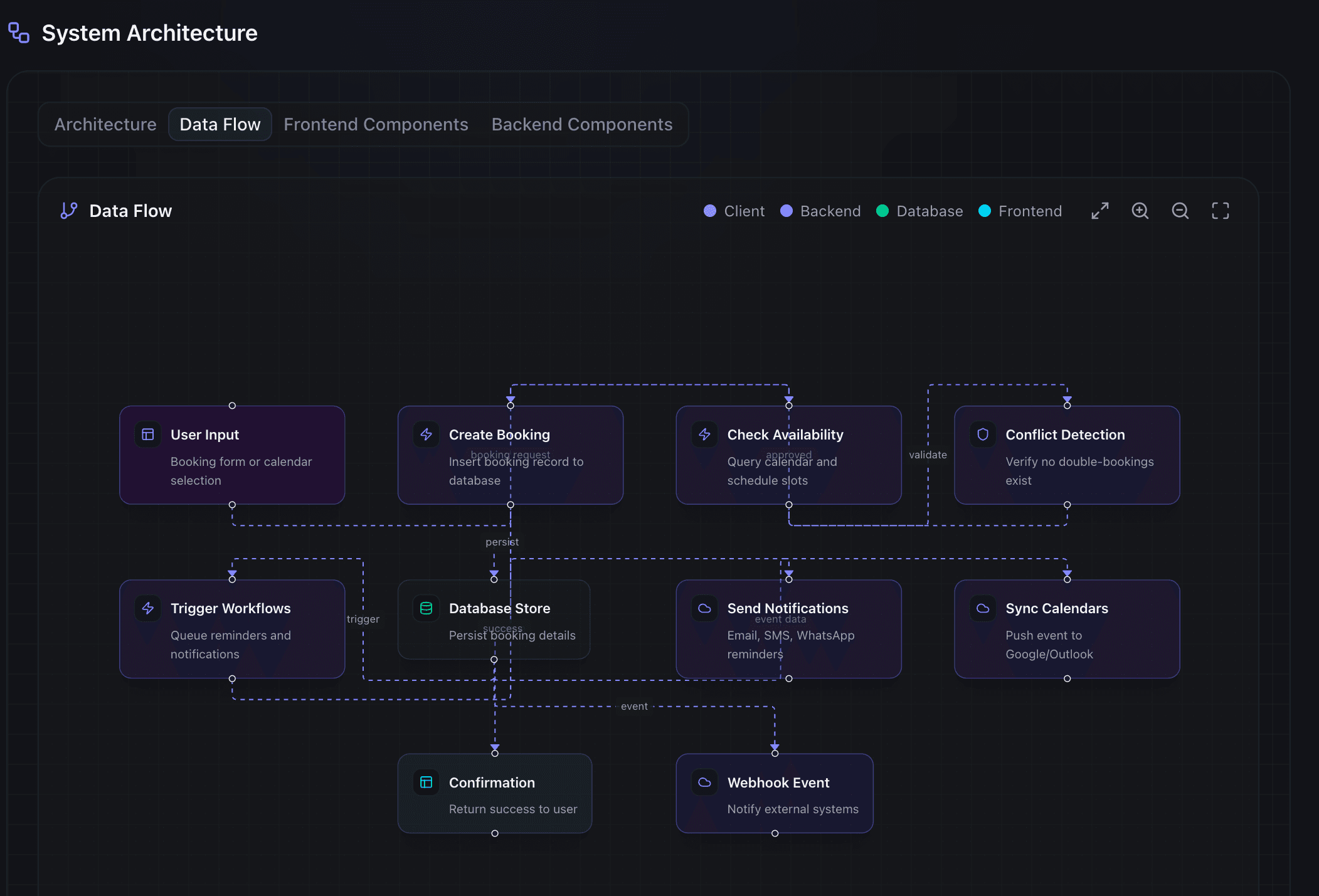
CodeDashboard sits in a different category than most documentation tools. It does not host docs or sync with your IDE. It analyzes a GitHub repository and generates a visual dashboard with architecture diagrams, data flow maps, and component summaries.
The comparisons below are honest. Each page explains what CodeDashboard does well, what the other tool does well, and where you might want to use both. Some comparisons (GitBook, Notion) are complementary rather than competitive, and the pages say so.
If you are evaluating documentation tools for a team, the manual documentation comparison is the best starting point because it explains what CodeDashboard automates versus what still requires human writing.
Browse by category
Documentation platforms
Code intelligence
The manual approach
All comparisons
CodeDashboard vs Swimm
Two different approaches to the same problem: understanding code.
CompareCodeDashboard vs Readme
Readme builds API docs from specs. CodeDashboard builds architecture docs from code.
CompareCodeDashboard vs GitBook
GitBook is a writing tool. CodeDashboard is an analysis tool.
CompareCodeDashboard vs Sourcegraph
Sourcegraph helps you search code. CodeDashboard helps you understand it.
CompareCodeDashboard vs AI code analysis tools
AI can explain code. CodeDashboard organizes that explanation into something useful.
CompareCodeDashboard vs writing docs manually
You could write the docs yourself. Here is why most people do not.
CompareWhere to start
Evaluating documentation tools? Start with the manual documentation comparison to understand what CodeDashboard automates. If you already use a documentation platform like GitBook, the GitBook comparison explains how the two tools work together.
Frequently asked questions
Is CodeDashboard a replacement for GitBook or Notion?
No. CodeDashboard is complementary. It generates structural documentation (architecture diagrams, tech stack reports, component summaries) from the codebase. GitBook and Notion are where you write and host long-form docs like tutorials, runbooks, and internal wikis. Use CodeDashboard to generate the structural sections, then paste them into your documentation platform.
Can I use CodeDashboard alongside other tools?
Yes. CodeDashboard generates the documentation that most teams skip because it is tedious to write by hand: architecture diagrams, data flow visualizations, and tech stack reports. Use it alongside your existing docs tools, wiki, or README.
Why not just use ChatGPT to explain my code?
ChatGPT gives you a chat conversation. CodeDashboard gives you a structured dashboard with interactive architecture diagrams, data flow visualizations, component breakdowns, and a shareable link. The output is designed to be shared with teammates and clients, not just read once in a chat window.
What does CodeDashboard do that other tools don't?
CodeDashboard analyzes an entire GitHub repository and produces a visual dashboard with architecture diagrams, data flow maps, tech stack detection, and component summaries in under two minutes. No configuration, no writing, no setup. Paste a URL and get a dashboard.
Try CodeDashboard free for 7 days
Paste a GitHub URL and get a full visual dashboard in under 2 minutes. No credit card required for free accounts.