Use cases
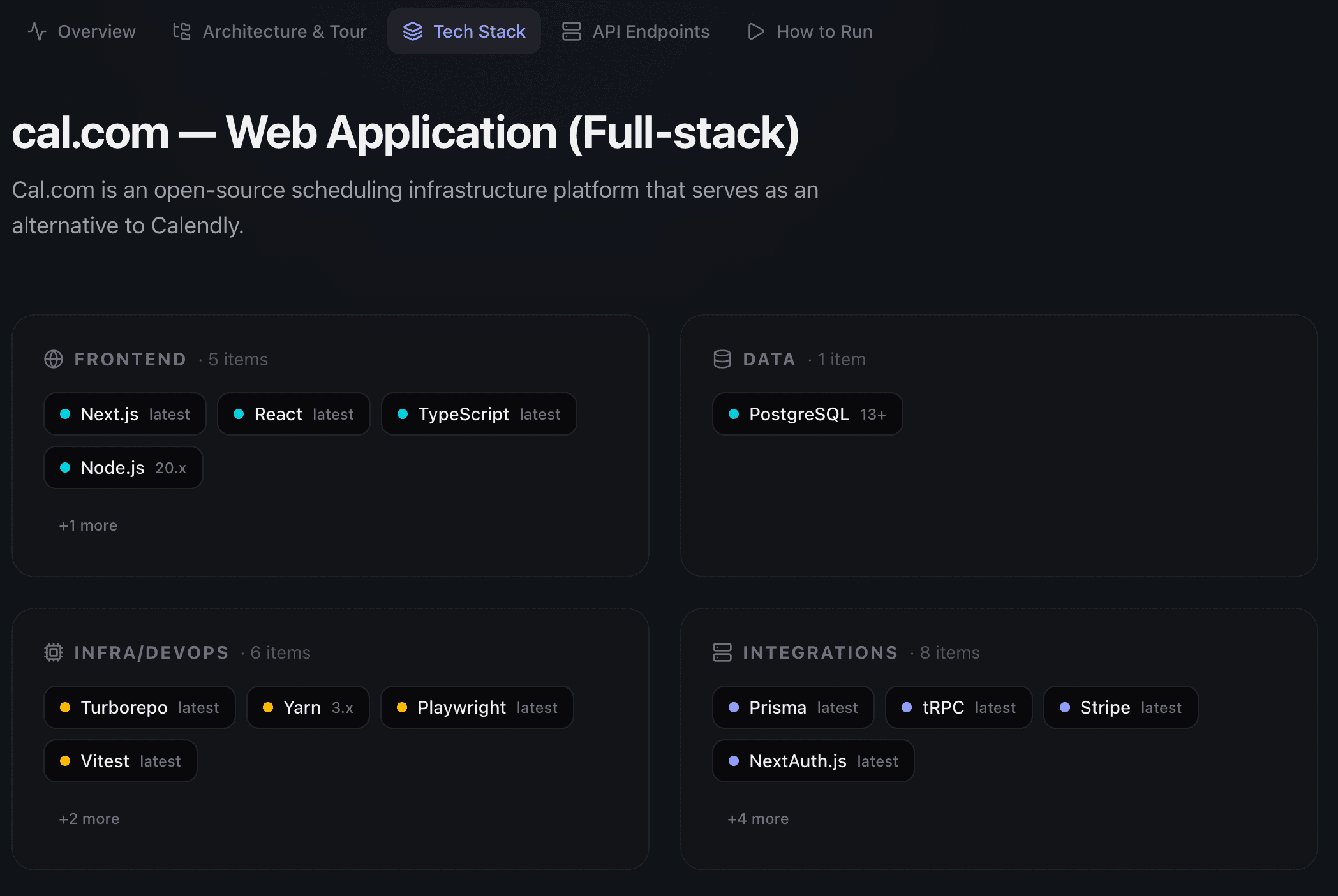
Developers, freelancers, and engineering teams use CodeDashboard to turn GitHub repositories into visual dashboards. Instead of reading through files to understand a codebase, you get architecture diagrams, tech stack breakdowns, and component summaries in under two minutes.
The most common workflows are developer onboarding (new hires understand the system before writing code), project handovers (deliver professional documentation with every project), and code audits (evaluate a codebase before inheriting it or investing in it).
Every dashboard includes an ELI5 mode that explains technical concepts in plain language, making the output useful for non-technical stakeholders like project managers, clients, and investors.
Browse by audience
Freelancers and agencies
Teams and onboarding
Technical evaluation
Investors and demos
All use cases
Onboard to a new codebase in minutes
New repo, new job, new project? Get up to speed without reading every file.
Read moreGenerate client handover documentation
Hand off a project with documentation that actually explains what you built.
Read moreAuto-generate repository documentation
Your repo already has the information. CodeDashboard just writes it down.
Read moreShowcase code projects in your portfolio
Clients hire based on what they can see. Show them your architecture, not just your GitHub profile.
Read moreAudit a codebase before you inherit it
Know what you are getting into before you agree to maintain it.
Read moreShow investors what you built
Investors do not read code. Give them visuals they can actually understand.
Read moreDocument your open-source project
Good documentation gets you contributors. Great documentation keeps them.
Read moreRun technical due diligence on a codebase
Make informed acquisition and vendor decisions with a full technical picture.
Read moreNot sure which use case fits?
If you are a developer joining a new team or inheriting a codebase, start with onboard to a new codebase. If you are a freelancer finishing a project, start with client handover docs. Both workflows take under five minutes from pasting a GitHub URL to sharing the result.
Frequently asked questions
Can I use CodeDashboard for client deliverables?
Yes. Every dashboard has a shareable public link you can send to clients. On Pro and Business tiers, you can also export dashboards as PDF documents with your own branding.
Does it work with private repositories?
Yes. Connect your GitHub account on the Starter tier or above, and CodeDashboard can analyze private repos. Your code is processed in memory and never stored.
How is this different from reading the README?
READMEs describe how to install and run a project. CodeDashboard analyzes the full codebase and generates architecture diagrams, data flow visualizations, tech stack reports, and component summaries that a README does not cover.
Can non-technical people understand the dashboards?
Yes. Every dashboard has an ELI5 (explain like I'm five) mode that rewrites technical sections in plain language. This is useful for project managers, investors, and clients who need to understand what was built without reading code.
Try CodeDashboard free for 7 days
Paste a GitHub URL and get a full visual dashboard in under 2 minutes. No credit card required for free accounts.